
● 02.01.00
User Management

Clear Ownership. Clear Accountability.
If onboarding employees to your ISO or API Management System seems to always fall behind, this application will ensure that the right people have the right access at the right time — supporting security requirements for controlled access and documented authorization while also ensuring that they get assigned the appropriate access and required training.
- ISO/API Compliance
- Easy Implementation
- Real-time Updates
ISO 14001• ISO 27001• ISO 45001• API Q1• API Q2• ISO 9001• ISO 80079-34• AS9100• ISO 13485• ISO 50001
Improve Employee Access and Accountability
See how our User Management solution promotes traceable and auditable work
Save Time
Quickly onboard and manage users with simplified role assignment and batch import capabilities.
60% Faster User Administration
See Results
Strengthen compliance & reduce access errors with clear visibility into permissions & user activity
90% Improved Access Accuracy
Save Money
Reduce IT workload, with automated tools & structured access controls
40% ower Administrative Costs
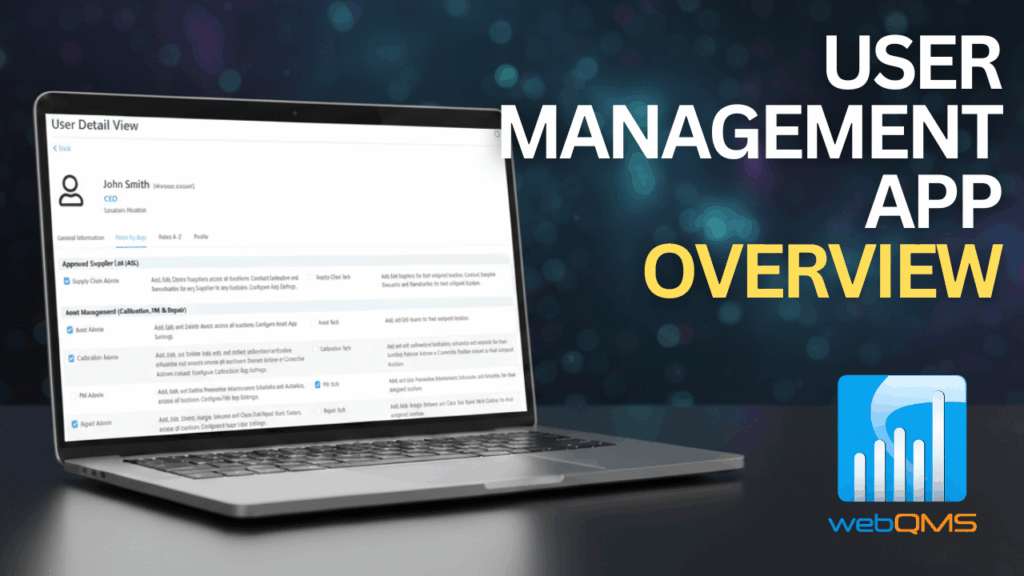
Watch our Demos
Discover how our apps simplify operations, enhance productivity, and streamline compliance.
Request a Demo
Powerful Features to Ensure Compliance
Ensure every action in your ISO and API management system is tied to the right person
CENTRALIZED USER DIRECTORY
-
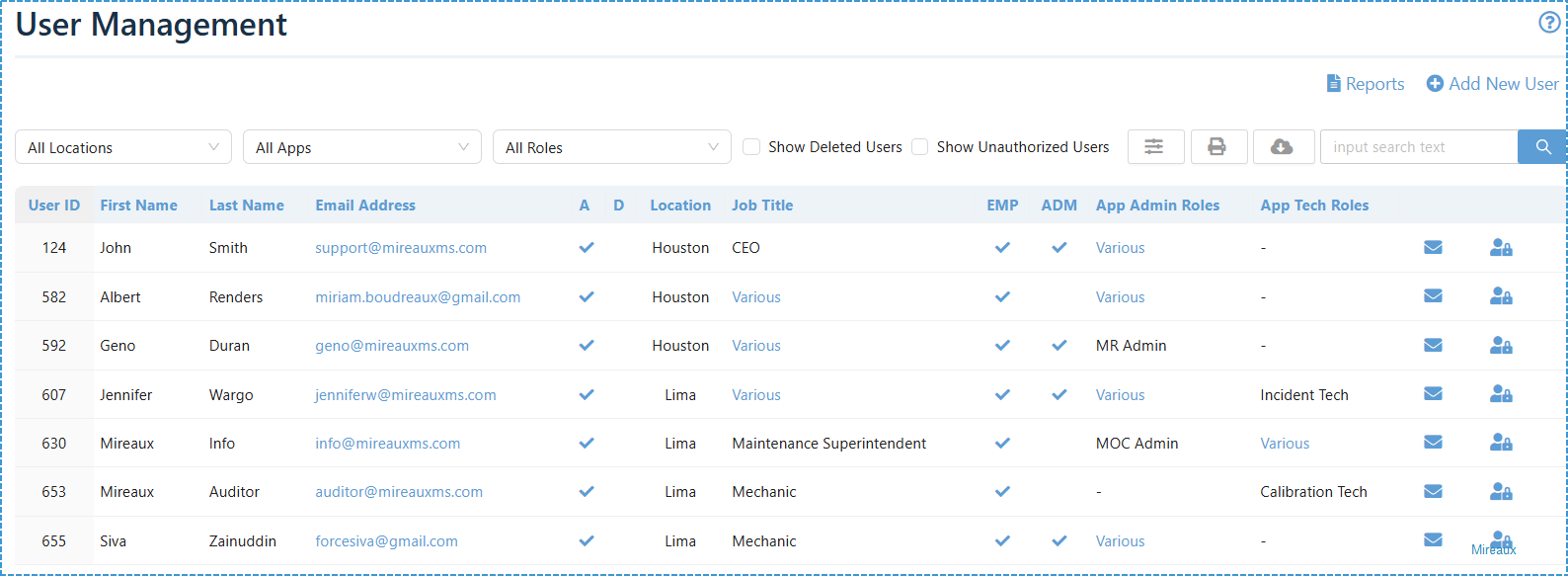
View, search, and filter all users across locations, apps, and roles. Includes indicators for Administrator, Employee, Deleted, and Unauthorized users.
-
Upload new users through an Excel spreadsheet using a provided template — perfect for onboarding large teams.
- This app is the central command for user access that will feed other Web QMS apps.
DETAILED USER PROFILES
-
Maintain complete records for each employee, starting with general information such as name, username, and email.
-
Assign users to locations so that items, such as NCRs, CIPs, MOCs, etc. are entered in the appropriate applications and traceable to a location.
-
Assign users an authorized job title so that training and certification requirements can be automatically propagated to the Learning Management System (LMS) app and the Employee Certifications app.
-
Availability of account metadata (joining date, last login, last password change, last activity) useful for onboarding and offboarding purposes.
ROLE ASSIGNMENT
-
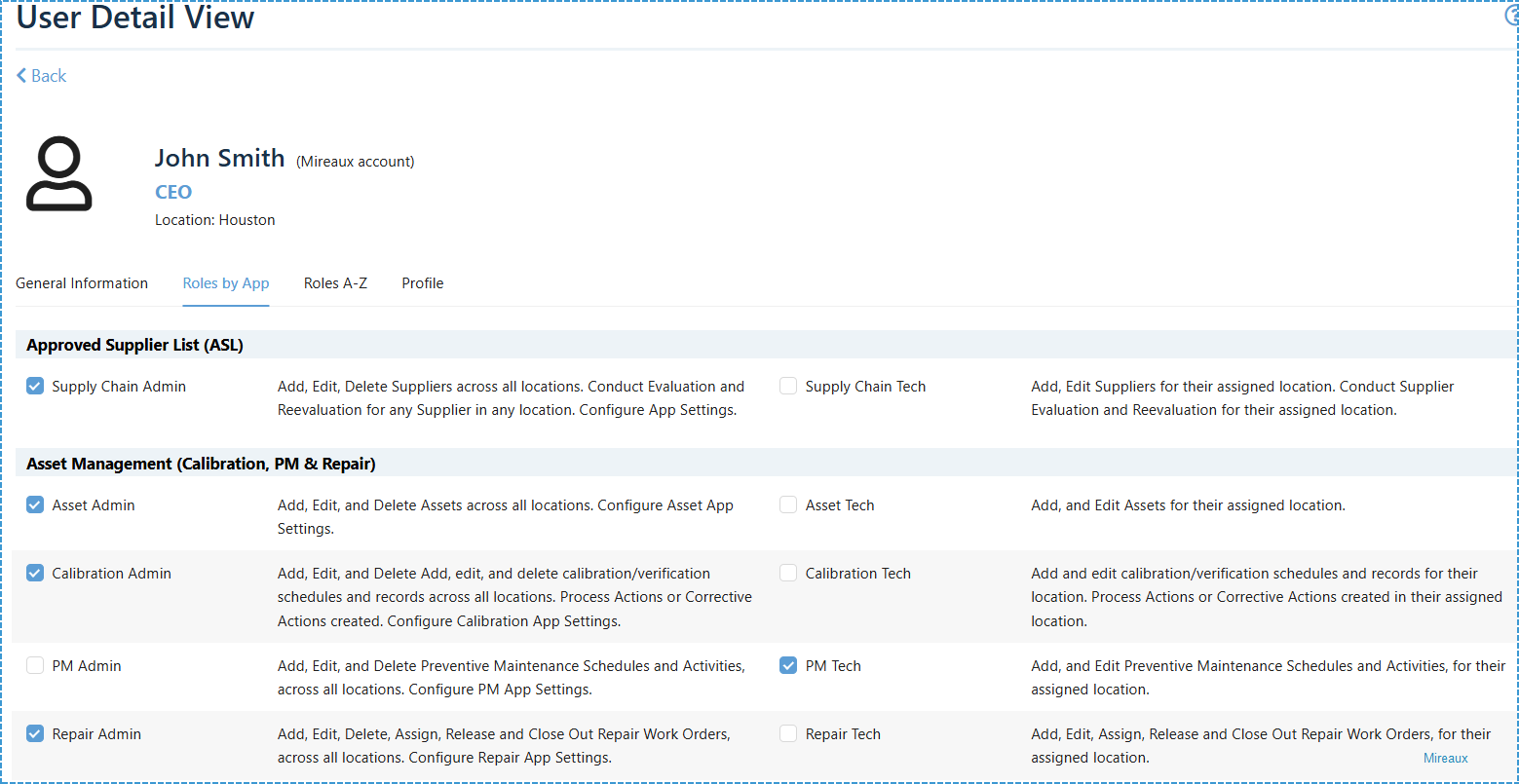
Role Assignment by App: Assign Admin or Tech roles for each Web QMS application as deemed necessary. Permissions are clearly described so administrators know exactly what each role can do.
-
Roles Assignment by A-Z: Browse all available role types in alphabetical order for faster assignment and auditing of permissions.
REPORTING AND SECURITY COMPLIANCE
-
Export lists of deleted users, users by role, and apps currently in use to support audits, HR reviews, and security checks.
-
Restore deleted accounts when required for IT and security purposes, in line with ISO 27001, as well as for audit and record traceability purposes as required by all ISO and API standards.
Common Features
Bulk Migration
Configurable fields
Download or Export
Role-Based Permission
Multiple Locations
Multiple Standards
Reports
Make data-driven decisions with our comprehensive reporting features.
Available Reports
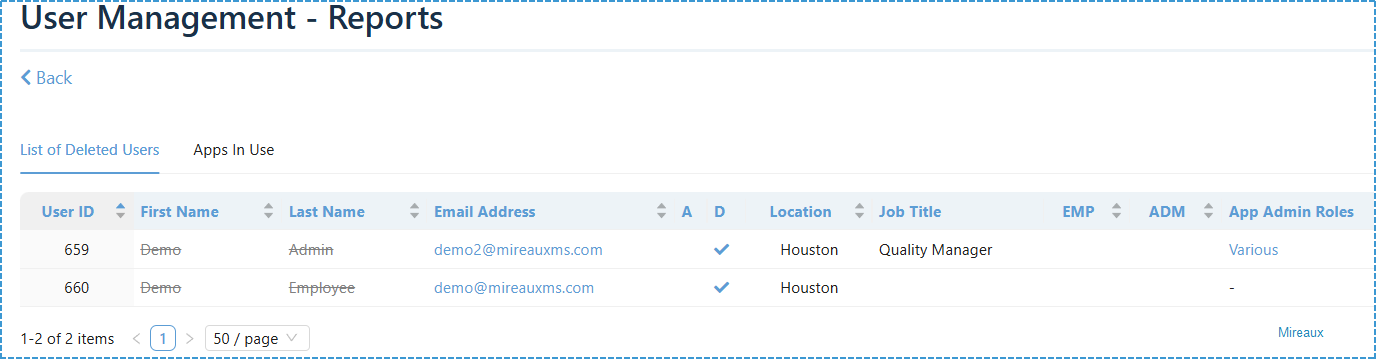
Report Types
Applications in Use
List of Deleted Users
Export formats: PDF, Excel, CSV
Key Performance Indicators
Available Metrics
- Interactive charts
- Dynamic filtering
Industry Standard Compliance
Our User Management helps organizations maintain compliance with all major industry standards, enhancing audit records and traceability.
ISO 14001
ISO 27001
ISO 45001
API Q1
API Q2
ISO 9001
ISO 80079-34
AS9100
ISO 13485
ISO 50001
Industries Using Our User Management Application
Trusted by leading companies across multiple industries to manage their users in Web QMS
Chemical
Distribution
Diving & Marine
Engineering & Project Management
Manufacturing
Software Development
Transportation
Oil & Gas
Join companies that ensure every management system action is tied to the right person





Frequently Asked Questions
What roles can I assign in the User Management app?
You can assign roles by application (Admin or Tech), as well as global roles such as Administrator or Employee. Each role includes a description of its permissions, ensuring clear and accurate assignments.
Can I import users in bulk?
Yes. The app provides a downloadable Excel template that lets you upload large numbers of users at once, making onboarding fast and consistent.
How does this app support ISO and API compliance?
User Management provides documented access control, authorization records, and activity history, supporting ISO and APIs requirements for access control, as well as ISO 27001 requirements for secure access and controlled permissions.
What happens when a user leaves the company?
Administrators can un-authorize or delete users, ensuring they no longer have access. Records of Deleted users are kept to comply with ISO and API records retention requirements and are fully auditable.
Ready to optimize your user management?
Watch our videos and learn how the Approved Supplier List application
can transform your user management process.