● 03.01.00
Customer Contacts

Centralize customers for better control
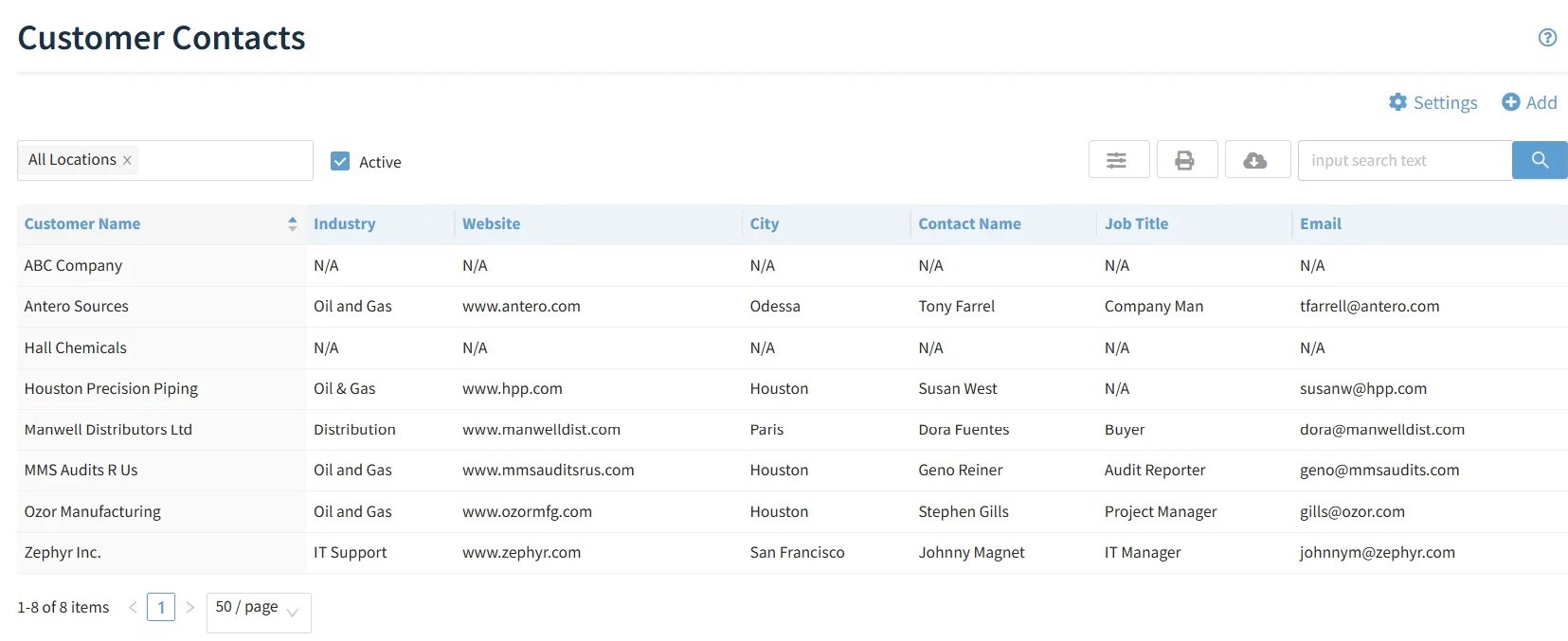
Eliminate fragmented customer data, outdated contact lists, and communication gaps by providing a centralized source for customer details, locations, and contacts. When accurate information is shared across all Web QMS apps, teams can send surveys to the right people, track customer audits, manage customer NCRs and maintain traceability on customer-provided products, with confidence and consistency.
- ISO/API Compliance
- Easy Implementation
- Real-time Updates
ISO 14001• ISO 27001• ISO 45001• API Q1• API Q2• ISO 9001• ISO 80079-34• AS9100• ISO 13485• ISO 50001
Improve Accuracy of Customer-Driven Actions
See how our Customer Contacts solution delivers measurable improvements to your business operations
Save Time
Reduce administrative time
40% Through streamlined contact organization
See Results
improve in customer satisfaction scores
25% Via integrated feedback systems and comprehensive tracking
Save Money
Reduction in operational costs
15% Through efficient relationship management & administrative overhead
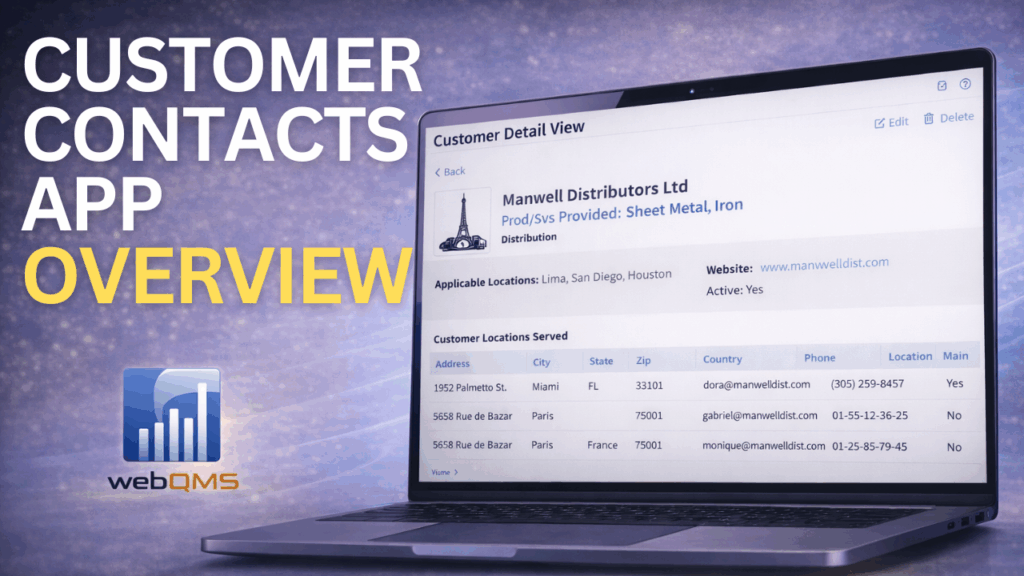
Watch our Demos
Discover how our apps simplify operations, enhance productivity, and streamline compliance.
Request a Demo
Powerful Features for Complete Customer Management
The Customer Contacts Application is the one source of truth for customer data across your
management system to enhance compliance with ISO and API requirements.
CUSTOMER RELATIONSHIP MANAGEMENT
-
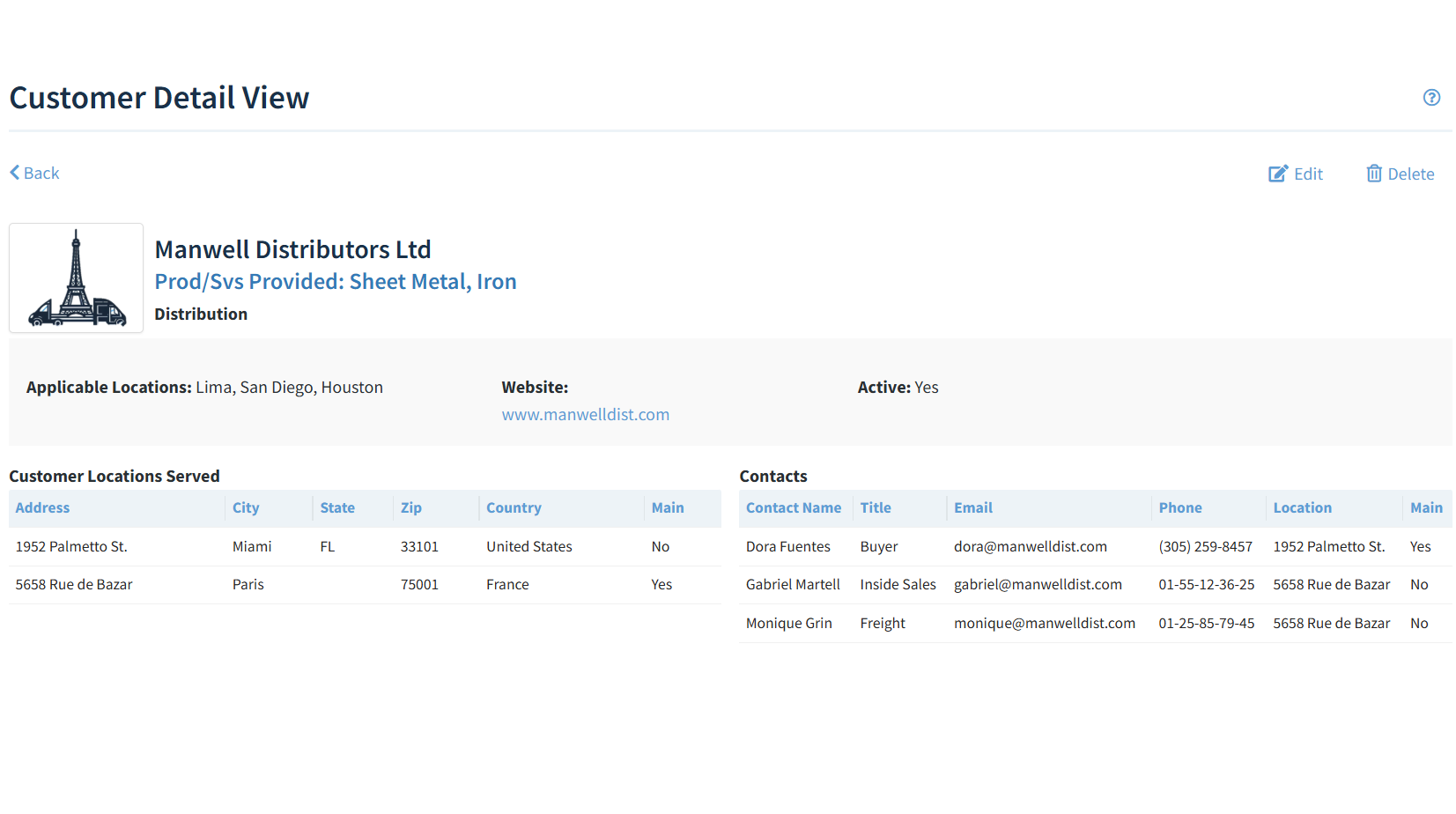
Store customer details including name, logo, services provided, and website.
-
Manage multiple customer locations with full address and country information.
-
Maintain contact lists with roles, email addresses, and phone numbers.
-
Tag main contacts or billing contacts for streamlined communication
FULL INTEGRATION WITH eCAMPAIGNS APP
-
Launch surveys or feedback campaigns targeting specific customer contacts.
-
Once surveys are completed, responses are automatically tied to the appropriate customer and contact.
-
Survey responses by customer is sent to the Customer Satisfaction app, where it is viewable in full detail for trend analysis and improvement actions.
FULL INTEGRATION WITH NCR APP
- Associate customer contacts with Nonconformance Reports (NCRs) to streamline follow-up, escalation, and closure of customer-related issues.
- When the NCR disposition is Use As Is, send the customer contact an email notification with a direct link so they can approve use of the product or part.
FULL INTEGRATION WITH ASSET MANAGEMENT APP
-
Identify which customers own or are associated with specific assets.
-
This is ideal for managing loaned equipment, serialized tools, or customer-owned assets.
FULL INTEGRATION WITH AUDITS APP
-
Track and manage customer audits performed by a specific customer contact or by an outsourced entity on behalf of your customer.
-
Enter audit findings and tie them to the specific audit and customer for complete visibility
FULL INTEGRATION WITH CUSTOMER SATISFACTION APP
-
Customer and Contacts information is available in the Customer Satisfaction app, presenting a unified and 365-degree view of a customer.
USER ACCESS, REPORTING AND NOTIFICATIONS
-
Assign specific roles to employees for managing customers, their locations and their contacts.
-
Configure automated emails to notify Admins, or Techs, when new customers are added.
-
Enjoy intuitive navigation consistent with the Web QMS experience across all apps.
Common Features
Bulk Migration
Configurable fields
Download or Export
Multiple Print Options
Role-Based Permission
Multiple Locations
Multiple Standards
Industries Using Our Customer Contacts Application
Trusted by leading companies across multiple industries to improve customer satisfaction
Chemical
Distribution
Diving & Marine
Engineering & Project Management
Manufacturing
Software Development
Transportation
Oil & Gas
Join companies that keep customer information connected, current and audit-ready





Frequently Asked Questions
Can I link customer contacts to other records like NCRs, audits, or feedback?
Yes! The Customer Contacts app is fully integrated with other Web QMS apps, including NCRs, Audits, Customer Satisfaction, eCampaigns, and Asset Management. You can easily select a customer and their contact when creating nonconformances, logging audit findings, or sending surveys—ensuring consistency and traceability across the system.
What kind of information can I store for each customer and contact?
You can store detailed information for each customer, including company name, services provided, website, logo, and multiple physical locations. For each contact, you can capture their name, title, email, phone number, location assignment, and designate whether they are the main contact.
Can I control who has access edit customer contact information?
Yes. The Customer Contacts app includes role-based access control, so only authorized users can addd or update customer and contact details. This helps protect sensitive data while keeping your team aligned with up-to-date customer information.
Ready to integrate customers in your management system?
Watch our videos and learn how the Customer Contacts application
can provide the missing link to true Customer Satisfaction.