● 04.07.00
Dashboard
Improve Management System Status Visibility
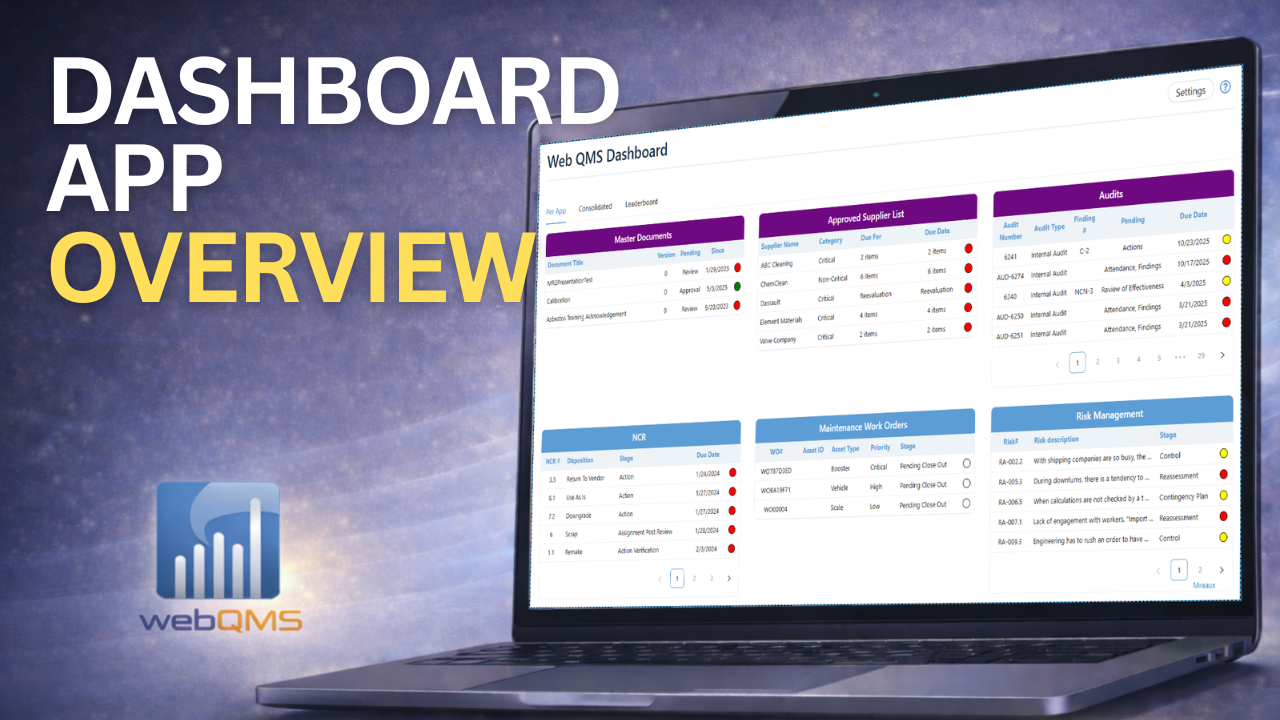
The Web QMS Dashboard is the central command center for your entire management system. It consolidates real-time data from all applications—LMS, Audits, Management of Change, Risk, NCRs, Master Documents, Maintenance Work Orders, and more—into one intuitive workspace.
Whether you want a high-level pulse of your organization or need quick access to overdue items, the Dashboard provides total visibility and simplifies daily QMS oversight.
- ISO/API Compliance
- Easy Implementation
- Real-time Updates
ISO 14001• ISO 27001• ISO 45001• API Q1• API Q2• ISO 9001• ISO 80079-34• AS9100• ISO 13485• ISO 50001

Enable Faster Decision-Making
See how our Dashboard reduces time spent navigating multiples apps and optimizes flow of information
Save Time
Reduce navigation time by centralizing all tasks, actions, and priorities into one unified dashboard
70% Less Time Spent Switching Between Apps
See Results
Enhance oversight and decision-making with real-time visibility across all Web QMS applications
80% Higher Operational Visibility
Save Money
Lower administrative overhead by eliminating manual tracking and duplicated effort
25% Reduced Administrative Costs
Watch the Dashboard app in Action
Discover how our apps simplify operations, enhance productivity, and streamline compliance.
Want to See How This Works for You?
Creative Features for Employee Engagement
The Dashboard Application provides interactive functionality to promote employee involvement thus increasing adoption of your management system.
FLEXIBLE VIEWS BY APP AND CONSOLIDATED
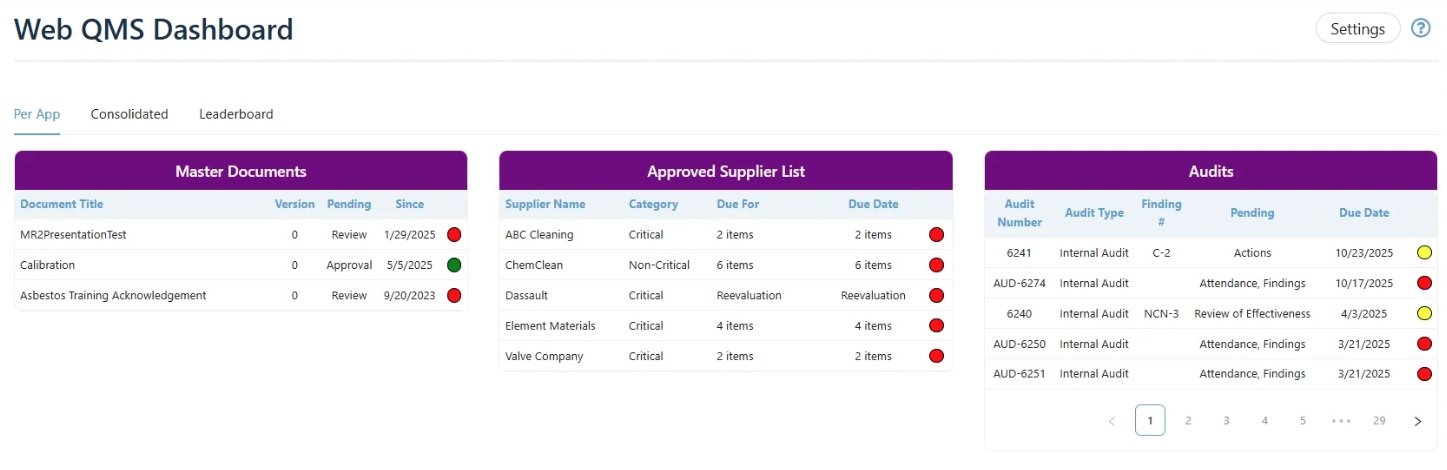
- View by App Widget: Display key data from each application—LMS due dates, open audits, pending MOCs, work orders, action items, and more—so users can immediately see what needs attention.
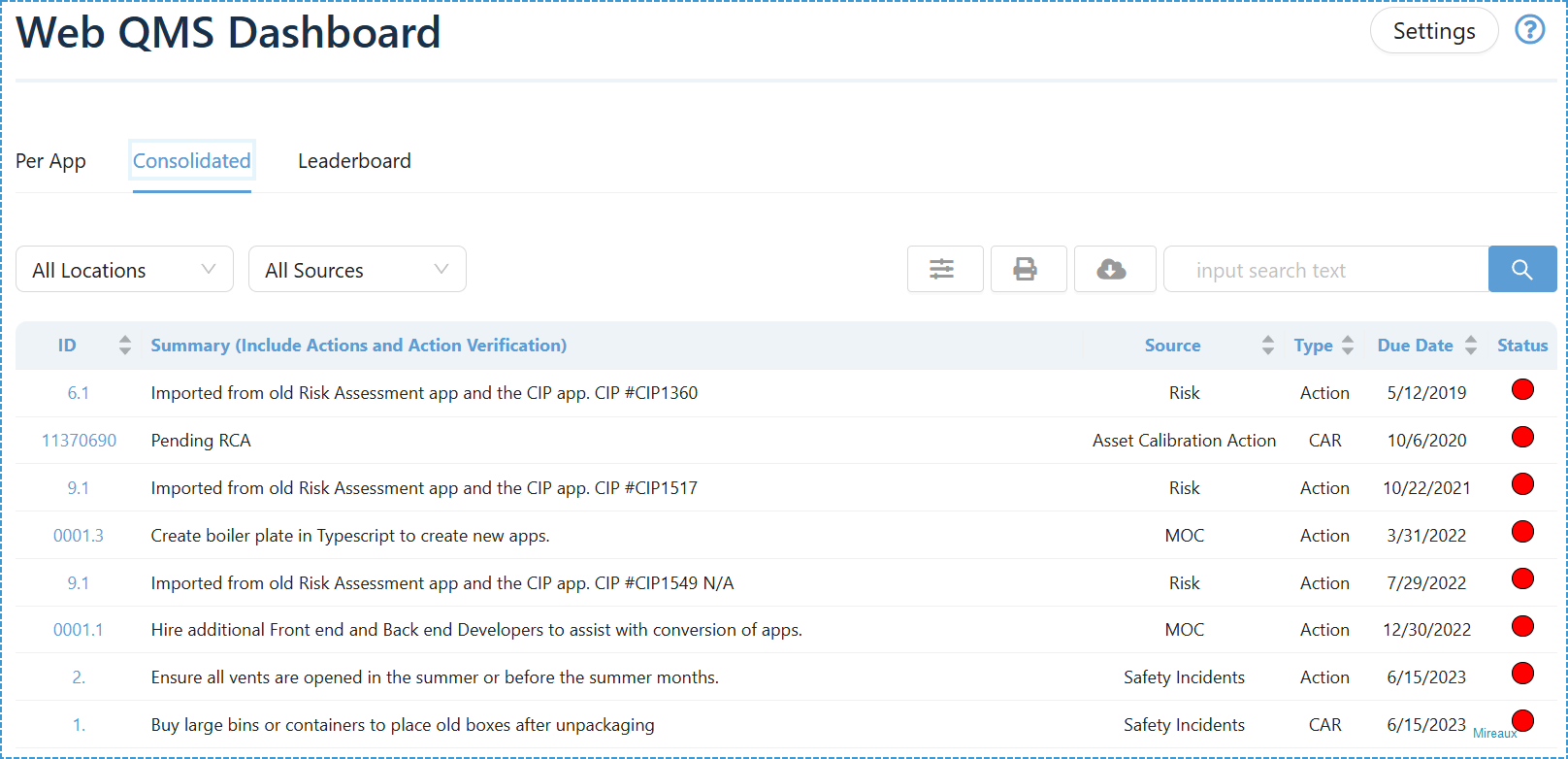
- Consolidated View: A unified table showing all actions, findings, MOCs, tasks, and responsibilities across all apps. Fully filterable by Location and Source for effortless prioritization.
LEADERBOARD (GAMIFICATION)
-
Motivate engagement and accountability with points for activity conducted across Web QMS.
-
Three Leaderboard scoreboards including All-Time Leaderboard, Current Year Leaderboard and Leaderboard by Application.
-
Perfect for fostering participation and benchmarking performance.
USER CONFIGURABLE LAYOUT
-
Mark application as favorites so they can jump to the top of the page and be found faster.
-
Reorder dashboard windows for enhanced visibility.
-
Admins can choose which widgets appear for all users as default.
-
Employees can configure their own dashboard to match what is important to them.
GREATER VISIBILITY
-
Andon or Traffic lights, provide clear, visual indicators of pending, overdue, or required actions—ensuring nothing slips through the cracks.
-
From one page, users can jump directly into deeper workflow modules without navigating menus, thus providing centralized access to all Web QMS apps.
-
Export consolidated items, search across all data, and access configuration from the Settings panel.
Common Features
Configurable fields
Download or Export
Multiple Print Options
Role-Based Permission
Multiple Locations
Multiple Standards
Reports
Make data-driven decisions with our comprehensive reporting.
Available Reports
Report Types
Consolidated List of Actions and Corrective Actions
All Time Leaderboard
Current Year Leaderboard
Current Year Leaderboard by Application
Export formats: PDF, Excel, CSV
Key Performance Indicators
Available Metrics
- Interactive charts
- Dynamic filtering
Industry Standard Compliance
Our Dashboard solution helps organizations maintain compliance with all major industry standards, ensuring seamless operations and regulatory adherence.
ISO 14001
ISO 27001
ISO 45001
API Q1
API Q2
ISO 9001
ISO 80079-34
AS9100
ISO 13485
ISO 50001
Industries Using Our Dashboard Application
Trusted by leading companies across multiple industries for employee engagement
Chemical
Distribution
Diving & Marine
Engineering & Project Management
Oil & Gas
Transportation
Software Development
Manufacturing
Join companies that use our Dashboard app to proactively monitor ISO and API compliance









Frequently Asked Questions
What information appears in the Dashboard?
The Dashboard displays key data from all active Web QMS applications, including LMS courses, audits, MOCs, NCRs, risks, master documents, maintenance work orders, and more. Depending on permissions, users see both high-level summaries and detailed action lists.
Can users customize the Dashboard?
Yes. Each user can mark apps as favorites, hide or show windows, and reorder their layout. Administrators can also configure which dashboard widgets are visible to all users for consistency.
How does the Leaderboard work?
Users earn points by engaging with Web QMS applications—closing actions, completing training, managing findings, updating documents, etc. Even submitting Safety Incidents, Corrective Actions, conducting Preventive Maintenance, will earn points. The Leaderboard ranks users by total points, current-year points, and points earned per application to encourage accountability and participation.
How does the Dashboard help with ISO and API compliance?
The Dashboard centralizes all tasks, findings, overdue actions, and system updates—making it easier to monitor compliance, stay audit-ready, avoid overdue items, and maintain control over every clause-related activity across ISO and API standards.
Ready to enhance visibility and promote participation?
Watch our videos and learn how our Dashboard application
can transform your management system into a collaboration and improvement machine.